
I recently acquired a dirt-cheap Nokia Flexi Zone Pico BTS (model FWFF, LTE band 2) to use for ModemManager automated testing. The problem is that the FWFF has internal antennas, and since Band 2 is licensed spectrum one of the Big Three (Verizon, AT&T, or T-Mobile) might get pretty angry with me. To solve that problem I also found two Willtek 4921 RF Shields which are just desktop-size Faraday boxes.
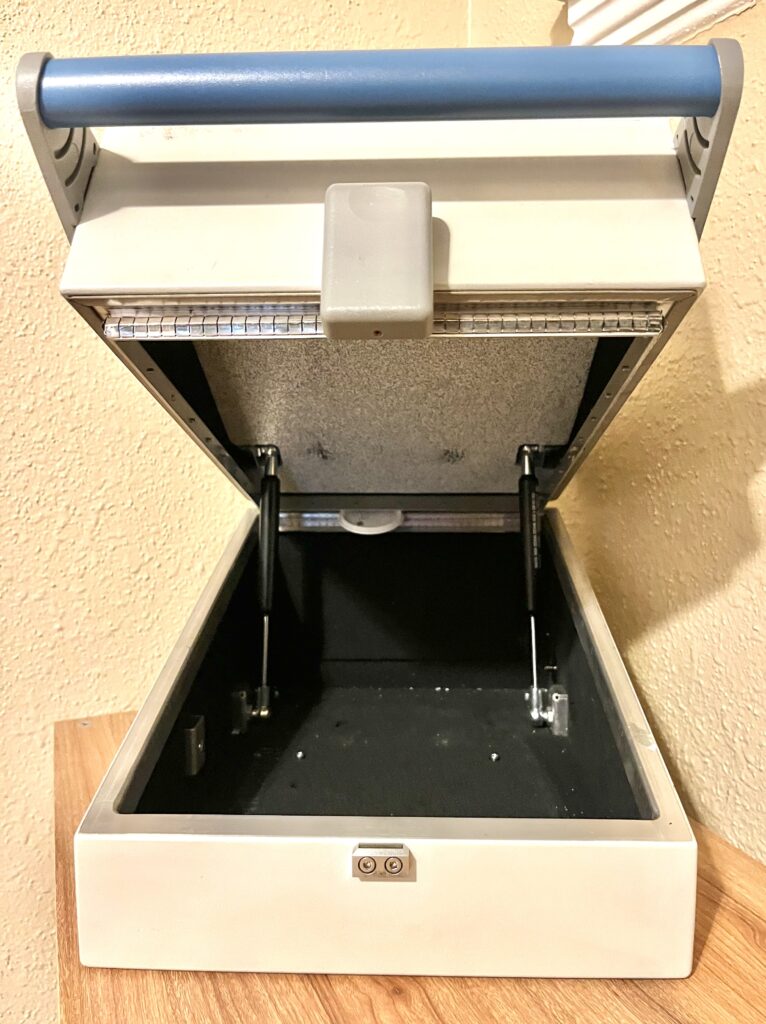
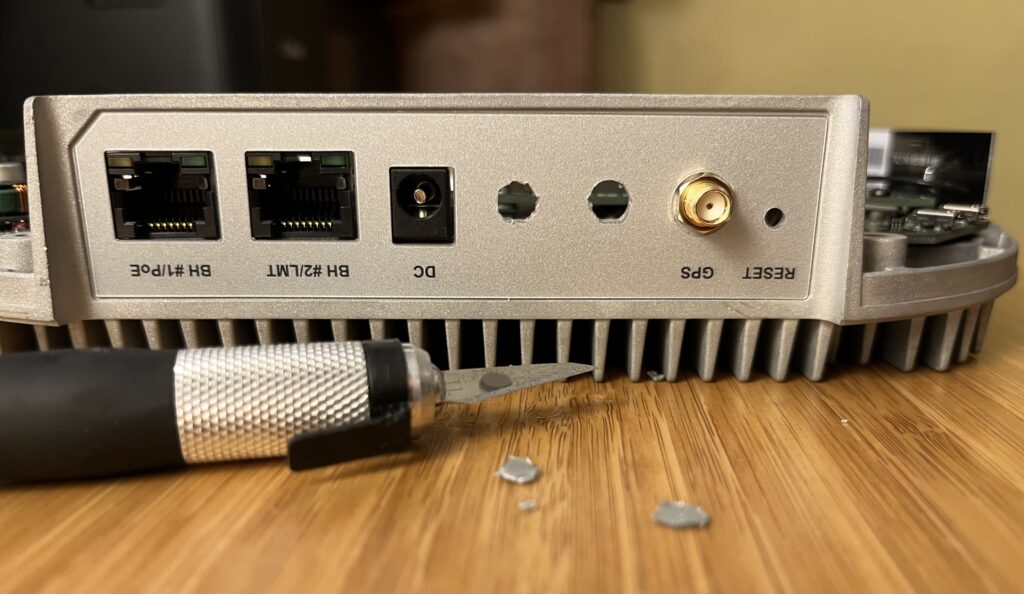
I’ll be piping the FWFF’s Band 2 LTE signals into the Willtek later, but that requires getting the RF signals out of the Nokia. How do we do that? SMA pigtails, of course. But first I have to open up some mounting holes. Luckily Nokia did the hard work by milling holes into the aluminum chassis already, and all we have to do is remove some of the heavy-duty faceplate label:
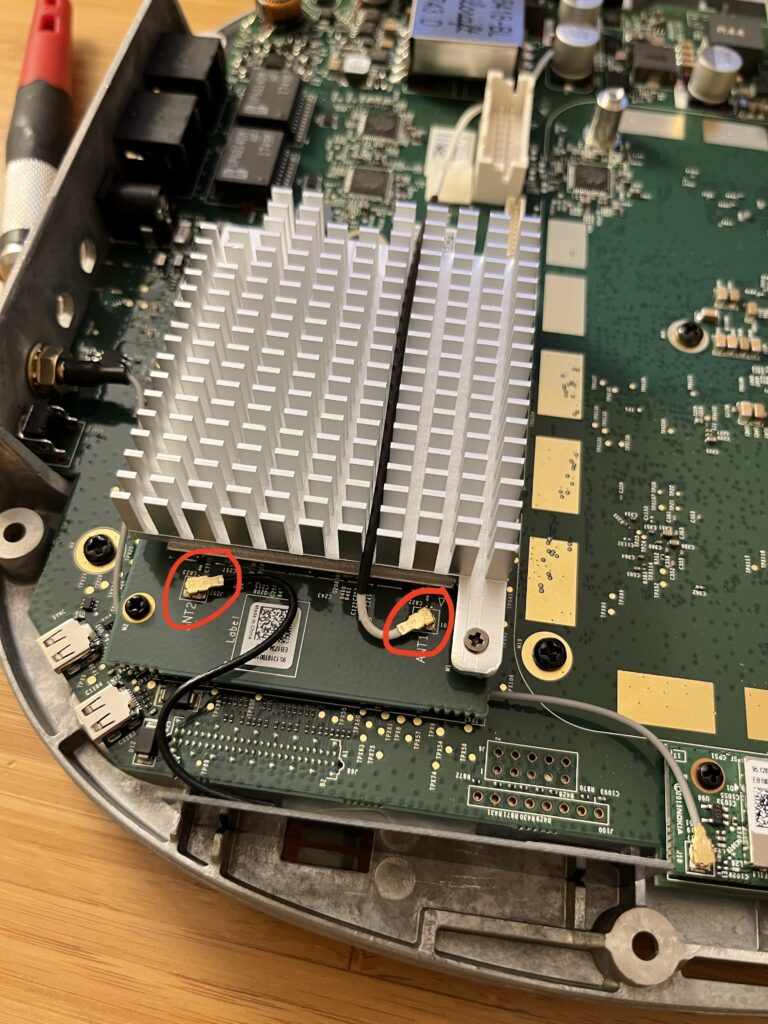
Now that I’ve got somewhere to mount the pigtails let’s take a look inside. I’ve circled the U.FL connectors on the RF card that I’ll be replacing. The internal antennas are printed onto PCBs that you can see at the bottom of the picture as a thin gray line that the black ANT2 cable leads to. I’m going to leave those in place since they’re taped into the unit.
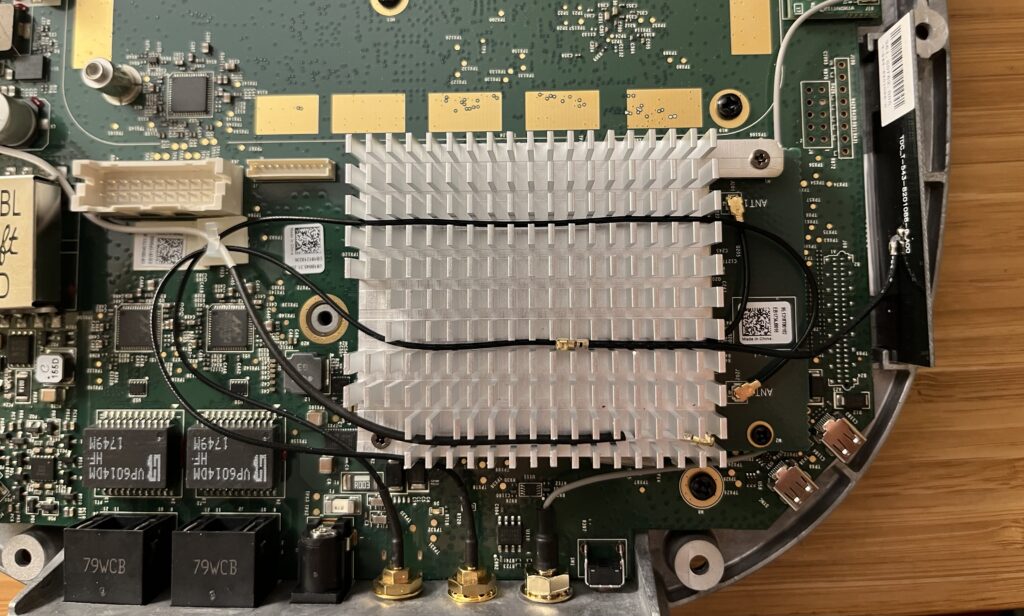
I carefully inserted the SMA connectors through the holes, tightened the retaining bolts and routed the cables back over the RF card’s heatsink to the antenna connectors. Then since we’re not removing the internal antennas, and because I don’t have any Kapton tape, I tucked the old antenna cables into the heatsink to hold them in place.
Last thing to do is put the case back on, and we’ve successfully converted our Nokia Flexi Zone Pico BTS FWFF into an FWFG!
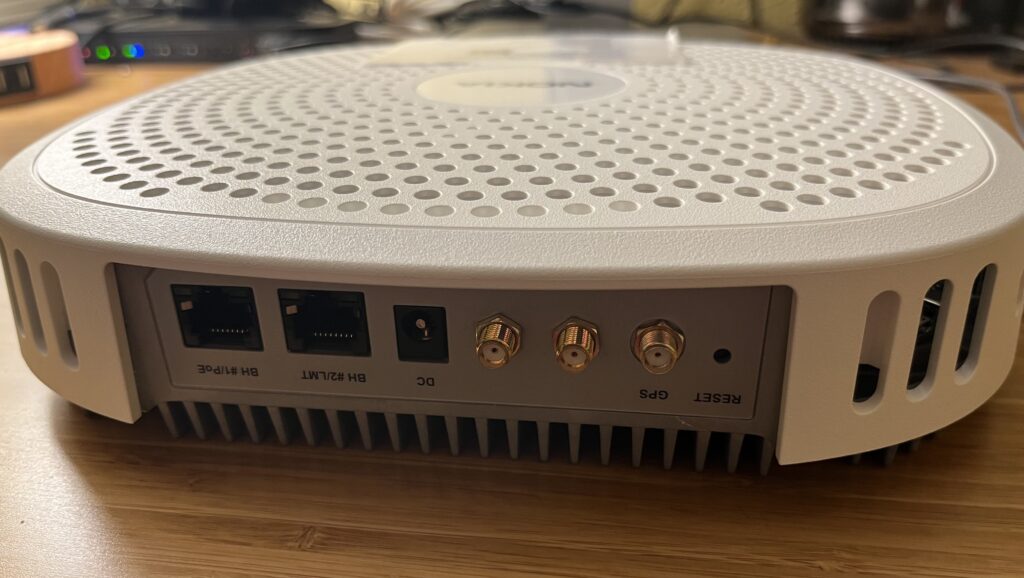
It’s already commissioned to be part of my LTE lab network, but I’m waiting on putting together a local GPS-synced NTP server since all my eNBs want one, and the Nokia won’t enable the radios until it has one. (Thanks to Alexander Couzens/@lynxis for that suggestion…)