
Base stations need accurate time for framing and synchronization; they’ll often have GPS antenna ports and provide options for NTP or PTP clock sync. But what if you have a couple base stations and you don’t want all those GPS antennas hanging near the window?
You get a GPS receiver and feed it to an NTP server, that’s what. Let’s do it.
GPS Receiver
The most important choice is which GPS receiver. You want one that provides “Pulse Per Second” (PPS) so the time server knows when each second actually starts and can compensate for latency or jitter. That significantly limits your options, but aside from overbuilt marine units like the Garmin 16x you can usually find cheap u-blox modules like the 7M, M8, or F9. My advice: look at pictures of the board and make sure something says “PPS” before you buy it.
I’m going to use USB because the HP EliteDesk 800 G4 mini that will be my NTP server doesn’t have a serial port and if I added a serial port then I couldn’t have two NICs. And while USB PPS is less accurate than serial-based PPS, that doesn’t really matter for my application.
I looked hard for an off-the-shelf USB GPS unit that had PPS capability via USB but those either don’t exist or are hard to find. So I chose a u-blox NEO-7M based board with a clearly marked PPS pin next to the TX/RX pins. Plus it had an external antenna connector (not shown below, but present at J1 as shipped).
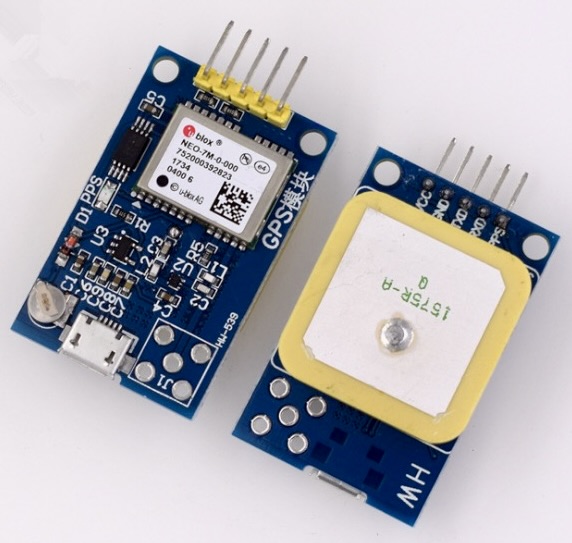
The board has a USB-C port already and I hoped the PPS signal would be connected there so I wouldn’t have to buy an RS-232/USB converter. Spoiler alert: it isn’t. This is quite silly. So we need a USB serial cable too.
The USB Serial Cable
The PPS signal usually arrives on the host as one of the RS-232 signals like DCD or RI or CTS. So I need a cable that exposes those signals and can just connect to my GPS board’s serial pins. I found an FTDI C232HD-DDHSP-0 with all the required signals broken out.
Since it’s gotta look nice everything is going into a small project box, which means I need to drill a hole for the USB serial cable and its cord grip.
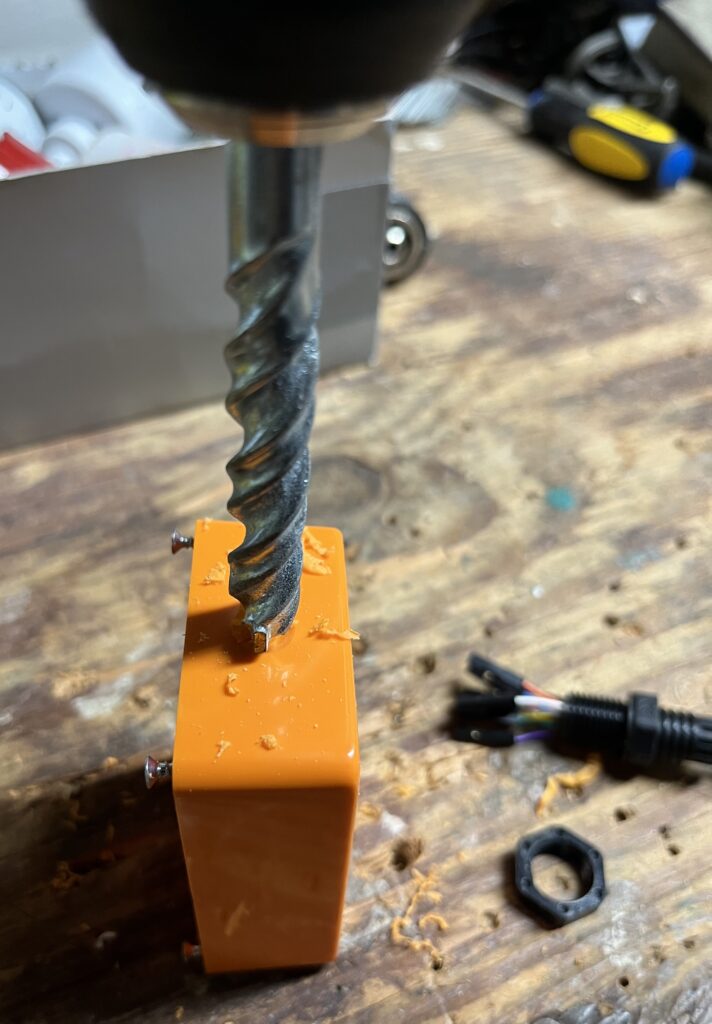
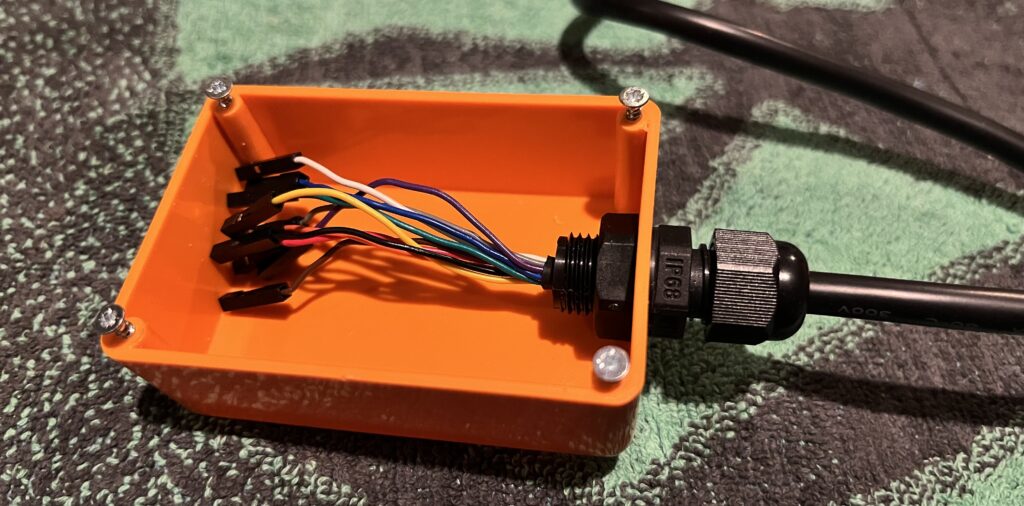
On to the antenna; it’s just a male SMA to female SMA bulkhead cable:
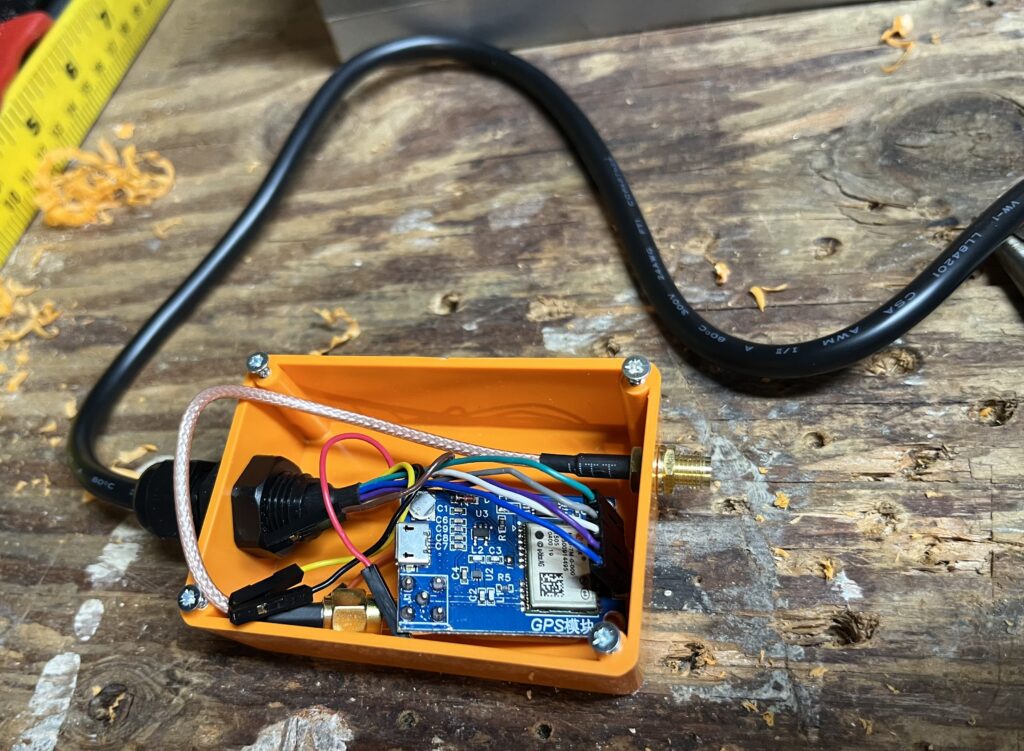
Time to hook up the board… I connected the cable RX to the board’s TXD, cable TX to board’s RXD, and VCC and GND.
What about PPS? I first tried the Ring Indicator (RI) signal and could not get PPS to be recognized by gpsd, while ppscheck worked fine. It turns out gpsd doesn’t read the serial signals directly but tries to use the kernel’s pps_ldisc driver which only supports DCD. Lame.
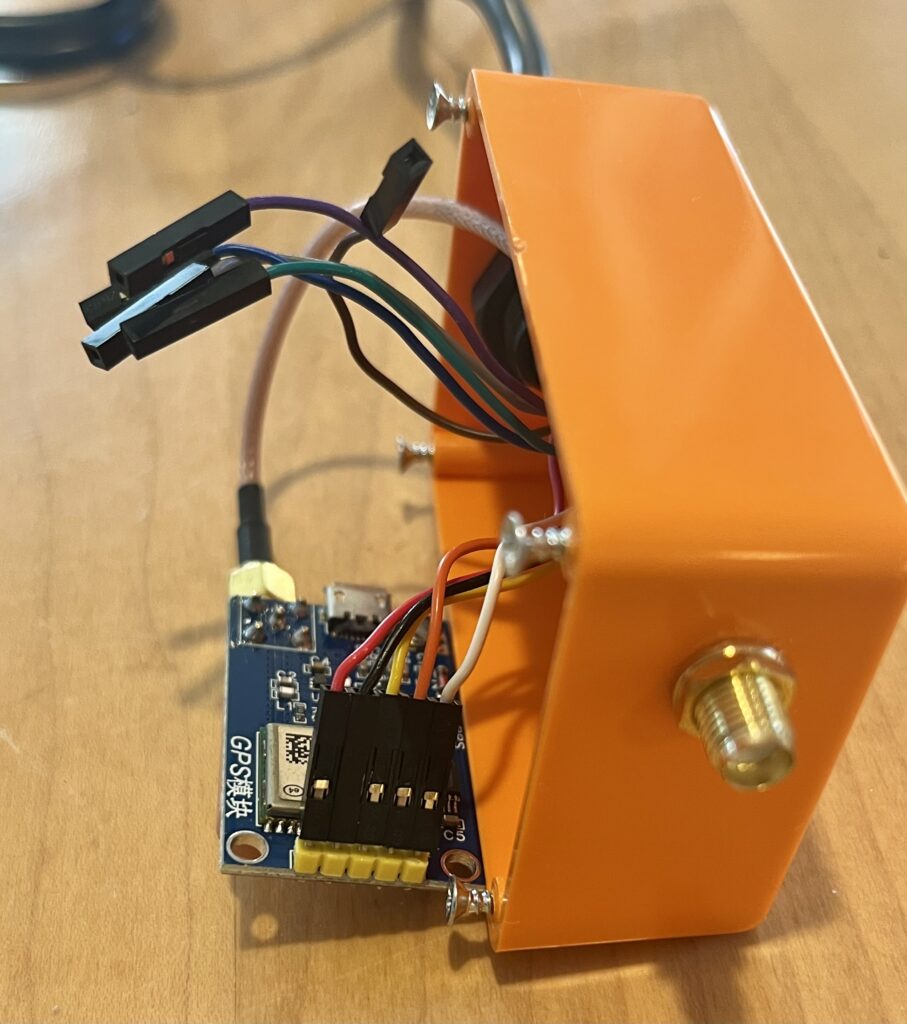
Everything Else
With the board hooked up and tested I added two mounting brackets and insulated the inside with hot glue.
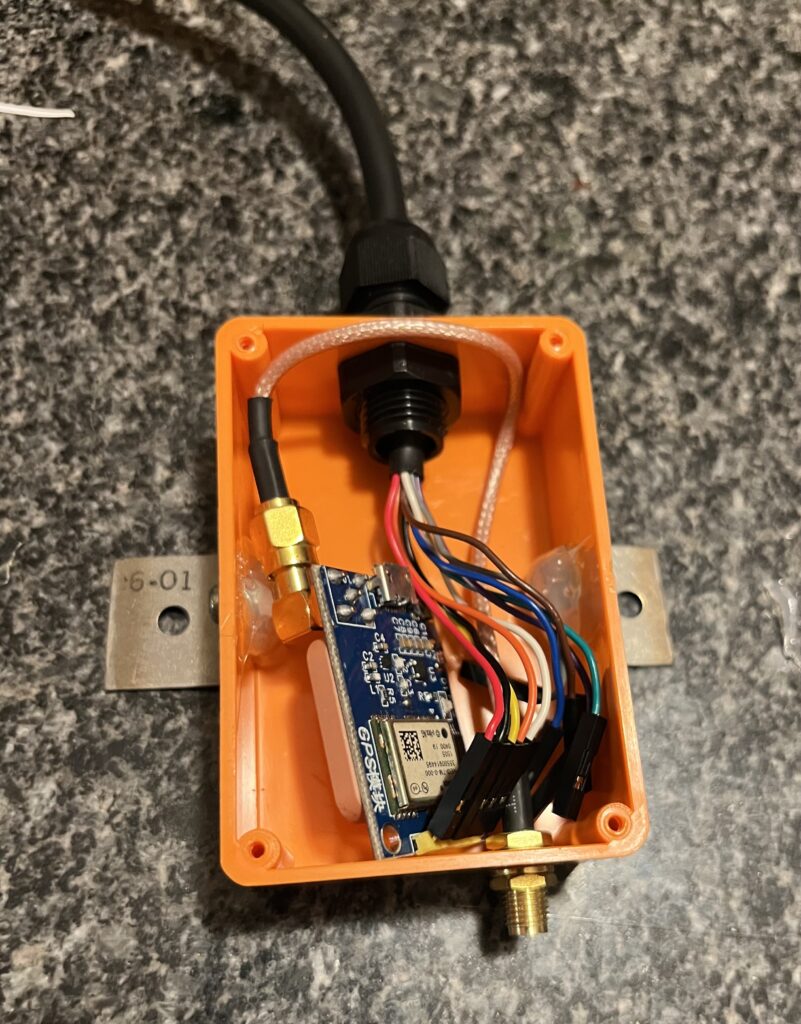
Screw on the top, and we’re ready to set up the software side of things.
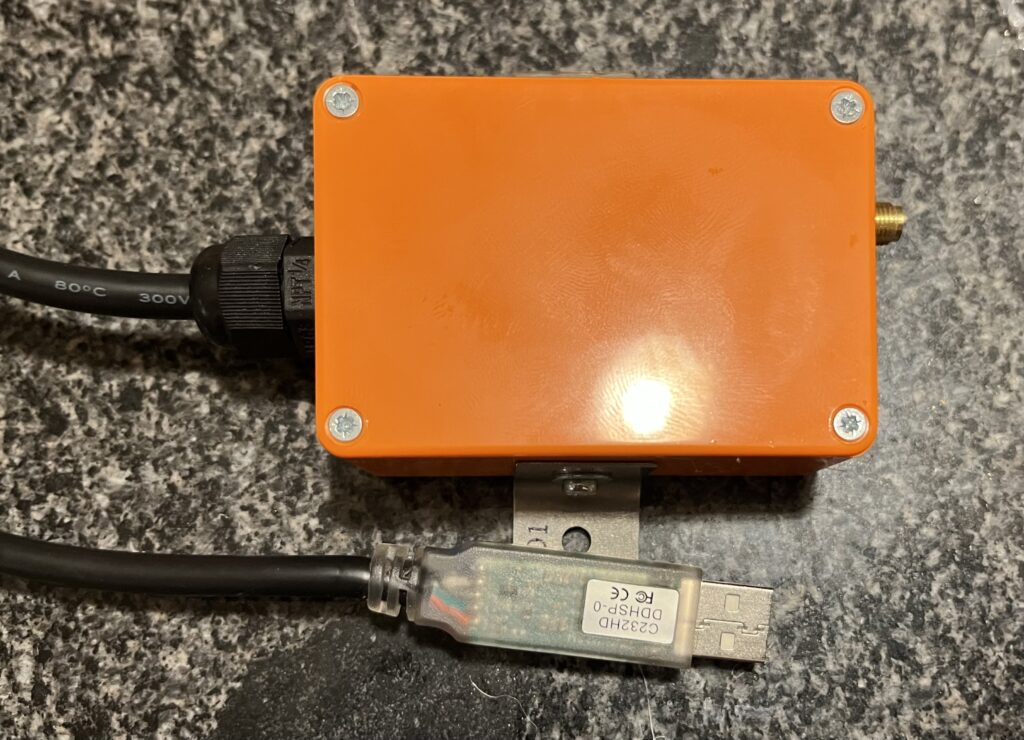
Double-check
It’s worth running gpsmon /dev/ttyUSB0 to ensure everything (including PPS) is working before getting gpsd running. It should look something like this:
┌──────────────────────────────────────────────────────────────────────────────┐
│Time: 2025-09-26T01:57:18.000Z   Lat: YY ZZ.046970' N   Lon:  ZZ XX.045530' W │
└───────────────────────────────── Cooked TPV ─────────────────────────────────┘
┌──────────────────────────────────────────────────────────────────────────────┐
│ GPRMC GPVTG GPGGA GPGSA GPGSV GPGLL                                          │
└───────────────────────────────── Sentences ──────────────────────────────────┘
┌───────────────────────┌─────────────────────────┌────────────────────────────┐
│ SVID  PRN  Az El SN HU│Time:     015718.00	  │Time:      015718.00        │
│GP  2    2 101 30 26  Y│Latitude:   XXXX.04697 N │Latitude:  XXXX.04697       │
│GP  7    7 113 81 29  Y│Longitude: YYYYY.04553 W │Longitude: YYYYY.04553      │
│GP  8    8  75 48 41  Y│Speed:    0.223          │Altitude:  267.9            │
│GP 27   27  22 17 33  Y│Course:                  │Quality:   1   Sats: 05     │
│GP 30   30 156 65 30  Y│Status:   A        FAA:A │HDOP:      2.42             │
│GP  9    9  67 15 25  N│MagVar:                  │Geoid:     -30.9            │
│                       └───────── RMC ───────────└─────────── GGA ────────────┘
│                       ┌─────────────────────────┌────────────────────────────┐
│                       │Mode: A3 Sats: 2 7 8 27 +│UTC:           RMS:         │
│                       │DOP H=2.42 V=3.44 P=4.21 │MAJ:           MIN:         │
│                       │TOFF: -1.280474680       │ORI:           LAT:         │
│                       │PPS: -1.412210534        │LON:           ALT:         │
└──────── GSV ──────────└────── GSA + PPS ────────└─────────── GST ────────────┘
gpsmon talks directly to the device so it will read PPS on more RS-232 control signals than the kernel’s PPS driver supports. Just something to watch out for in case gpsmon shows PPS but gpsd doesn’t.
gpsd
On the software side the GPS module is managed by gpsd, which autodetects vendor quirks and (as long as you’re using DCD for PPS) configures the kernel’s PPS device for you.
My simple Fedora gpsd config gets written to /etc/sysconfig/gpsd but other distros use /etc/default/gpsd.
# Options for gpsd, including serial devices
OPTIONS="-n"
DEVICES="/dev/ttyUSB0"
# Set to 'true' to add USB devices automatically via udev
USBAUTO="true"
Later I’ll be replacing the /dev/ttyUSB0 device path with a more permanent one since there will eventually be 10+ modems connected and USB device names are notoriously unstable.
Now I can start gpsd:
systemctl start gpsdand double-check one last time by running gpsmon again, but this time without arguments since it will automatically use data from the running gpsd.
chrony
Now that I have GPS up and running it’s time for NTP, which was the whole point of this exercise. gpsd writes location and timing data from GPS receivers to a well-known Shared Memory (SHM) segment that other daemons like ntpd or chrony read. I’m going to use chrony.
Here’s my minimal /etc/chrony.conf:
# Record the rate at which the system clock gains/losses time.
driftfile /var/lib/chrony/drift

# Allow the system clock to be stepped in the first three updates
# if its offset is larger than 1 second.
makestep 1.0 3

# Enable kernel synchronization of the real-time clock (RTC).
rtcsync

# Allow NTP client access from local network.
allow all

# Serve time even if not synchronized to a time source.
local stratum 1

# Set the TAI-UTC offset of the system clock.
leapseclist /usr/share/zoneinfo/leap-seconds.list

# Specify directory for log files.
logdir /var/log/chrony

# Listen to gpsd for reference time
refclock SHM 0 refid GPS precision 1e-1 offset 0.0
refclock SHM 1 refid PPS precision 1e-7
The important bits are the “allow all“, “local stratum 1“, and both “refclock” lines. The NTP server will be on an isolated network so I don’t care much about limiting access by source IP. The local stratum 1 ensures that NTP clients see the server as high-precision (which it is!). The refclock lines are what tells chrony to get timing information from gpsd for both GPS time and PPS high precision adjustment. The SHM 0 and SHM 1 are gpsd‘s predefined shared memory segments for GPS and PPS info, respectively. Eventually I’ll do some tests and figure out better timing offsets, but not today.
Now I can start chronyd:
systemctl start chronydand double-check that it’s working and synced to GPS by running chronyc sources a couple times until it’s synced up:
$ chronyc sources
MS Name/IP address         Stratum Poll Reach LastRx Last sample
===============================================================================
#x GPS                           0   4   177    14    +81ms[  +81ms] +/-  100ms
#x PPS                           0   4   177    16    -35ms[  -35ms] +/-   98us
and finally double-check by sending an NTP request to the server:
$ ntpcheck utils ntpdate -s localhost

Server: localhost:123, Stratum: 1, Requests 3
Last Request:Offset: 0.000000s (0us) | Delay: 0.000058s (58us)
Correct Time is 2025-10-02 19:29:15.287043328 -0500 CDT

Average (3 requests):
Offset: 0.000015s (15us) | Delay: 0.000094s (94us)
And now I’m done! Time to point my base stations to this chronyd.